



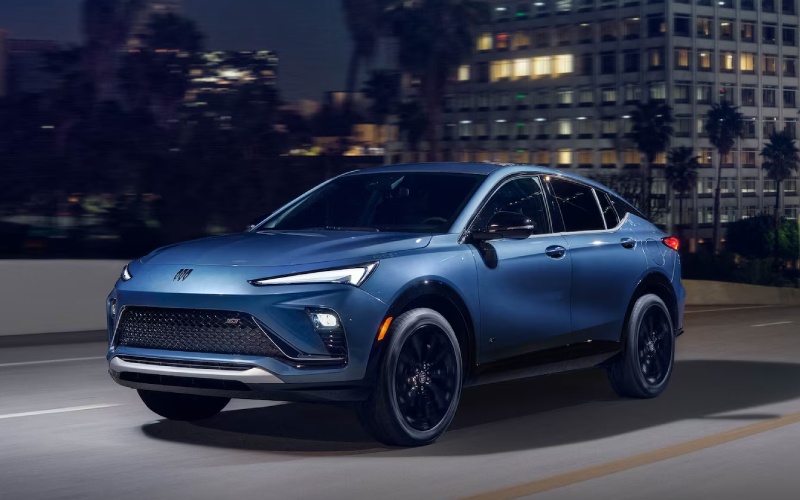
Alpine Buick South – Everyday Tech Made Simple — 2026 Buick Envista Infotainment Tips for Families around Pueblo, CO
Family life asks a lot from the cabin—clarity, calm, and technology that never gets in the way. The 2026 Buick Envista answers with an Ultrawide 11-inch diagonal HD color touchscreen and wireless Apple CarPlay® and wireless Android Auto™ compatibility that streamline every errand loop and school run around Pueblo. From quick audio handoffs to clean cable-free charging, the Envista’s thoughtful layout keeps you focused on the road while keeping the crew connected.
Let’s turn smart features into simple habits. When you first pair your phone, set up key profiles—radio presets, preferred navigation app, and your most-used contacts—so the system greets you with familiar choices every time. Because the center display is wide and crisp, lay out screens by priority: set audio and navigation as the first tiles, then slide utility apps like weather or podcasts into the secondary position. Families who rotate drivers will appreciate that the reconfigurable 8-inch Driver Information Center can show different details for each user, reducing clutter and making the switch seamless.
- Streamlined setup: Pair phones in the driveway, not on the go—save profiles for each driver to keep preferences intact.
- Clean power: Use available wireless smartphone charging to keep the console clutter-free and cords at home.
- Quick controls: Place your most-used navigation and audio apps in the primary display tiles for fewer taps while driving.
- Voice-first navigation: Launch directions hands-free through Apple CarPlay® or Android Auto™ to keep your eyes up and attention forward.
- Night-friendly cabin: Dim the display slightly after sunset for gentler visuals that pair well with QuietTuning® calm.
Safety and attention are always the priority. Buick Driver Confidence features—Automatic Emergency Braking, Front Pedestrian Braking, Forward Collision Alert, Following Distance Indicator, Lane Keep Assist with Lane Departure Warning, and IntelliBeam Auto High Beams—work quietly in the background, while the infotainment system gives you the right information at a glance. To get the most out of those systems, keep software current and review your driver assistance settings monthly, especially after any long trip or valet use. If you opt for available Rainsense automatic wipers or Adaptive Cruise Control through the Advanced Safety Package, take five minutes to walk through the menus so the features behave exactly the way you like in Pueblo’s shifting weather.
Trim choice can shape the tech experience too. The Sport Touring’s athletic interior with Santorini Blue accents brings an energizing vibe to the cabin, while Avenir’s perforated leather-appointed heated front seats and Black Ice chrome Avenir grille elevate daily drives with a touch of luxury. Because the touchscreen and Driver Information Center are standard across trims, you can pick the style that suits you and still enjoy a consistent, intuitive tech core. Want even more everyday ease? The available Power Liftgate is a parent’s best friend in the grocery lot—one button, clear access, and done.
When it is time to set everything up, our team is happy to help. Alpine Buick GMC South offers personal walkthroughs that cover pairing steps, display customization, and safety system settings. You can book a visit or request a video session, and we will tailor the tutorial to how your family actually drives—short hops during the week, ballfield marathons on the weekend, and the occasional longer stretch north or south. You will find us serving Fountain, Castle Rock, and Pueblo with friendly support that keeps tech simple and daily driving calm.
Frequently Asked Questions:
Do I need cables to use Apple CarPlay® or Android Auto™ in the Envista?
No. Wireless Apple CarPlay® and wireless Android Auto™ compatibility let you connect without cords, and available wireless smartphone charging keeps power topped up.
Can multiple drivers save their own preferences?
Yes. Pair each device and set your audio, navigation, and Driver Information Center preferences. The system recalls the right setup when that driver’s phone connects.
What are the best settings for night driving with kids on board?
Use display dimming, rely on voice commands more often, and let IntelliBeam Auto High Beams manage brightness as conditions change.
Which trim should I choose for the most premium tech feel?
All trims share the Ultrawide 11-inch diagonal touchscreen core. If you want a luxury ambiance around that tech, Avenir’s heated leather-appointed front seats and upscale finishes add a refined layer to every ride.
Request more 2026 Buick Envista information
Connect with us


- Alpine Buick GMC South
- Alpine Buick GMC South Service
- Buick and GMC Service
- Buick Dealer
- Buick Enclave
- Buick Encore GX
- Buick Envision
- Buick Envista
- Buick GMC Service
- Buick Service
- Colorado Springs Buick Dealer
- Colorado Springs Buick Service
- Colorado Springs GMC Dealer
- Colorado Springs GMC Service
- Colorado Springs Used Cars
- GMC Acadia
- GMC Canyon
- GMC Dealer
- GMC Sierra 1500
- GMC Sierra 2500 HD
- GMC Sierra 3500 HD
- GMC Terrain
- GMC Trucks
- GMC Yukon
- GMC Yukon XL
- Used Dealer
- Vehicle financing