



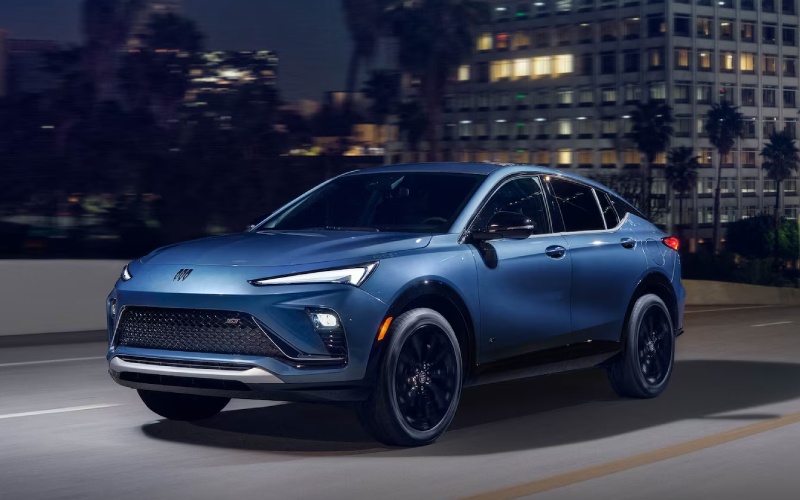
Alpine Buick South – Is the 2026 Buick Envista’s Ultrawide 11-inch Touchscreen Easy to Use for Daily Drives around Colorado Springs, CO?
Modern shoppers want technology that works simply and consistently, especially when your vehicle doubles as your mobile office, family hub, and weekend companion. The 2026 Buick Envista centers your drive around an Ultrawide 11″ diagonal HD color touchscreen paired with a reconfigurable 8″ diagonal Driver Information Center—two displays that aim to keep information organized, visible, and easy to act on without distraction.
Because the system integrates wireless Apple CarPlay® and wireless Android Auto™ compatibility, setup is designed to be straightforward. Pair your device once, then access calls, messages, maps, and playlists with minimal steps. The wide-format layout supports clear icon placement and quick swipes, so everyday tasks—setting a destination, queuing a podcast, or toggling driver settings—feel intuitive rather than time-consuming. Thoughtful physical controls around the screen help with commonly used functions like audio volume or climate, offering tactile confidence when you do not want to look away from the road.
- Tip: Customize your home screen so your most-used apps are within one tap
- Tip: Enable voice control for messaging and navigation while keeping hands on the wheel
- Tip: Use available wireless smartphone charging to keep cables out of the way
- Tip: Pair profiles so each driver can keep preferred layouts and settings
The display’s width pays dividends when you are navigating in traffic or juggling multiple tasks. On the left, keep core vehicle data easy to reference; on the right, give maps or media a larger footprint. This ability to arrange information is especially helpful on busy weekday drives or longer weekend routes, making the interface feel tailored to your rhythm rather than the other way around.
Frequently Asked Questions:
Can I rely on wireless integration every day?
Yes—wireless Apple CarPlay® and wireless Android Auto™ compatibility are engineered for consistent performance. Keep your device’s OS updated, enable Bluetooth and Wi-Fi on your phone, and you should find re-connection quick during daily starts.
Is the display readable in bright sun or at night?
The HD screen is designed for clarity and contrast in different lighting conditions. Pairing it with the 8″ diagonal Driver Information Center means critical items remain legible in your line of sight without overwhelming you at night.
How do safety features interact with the screen?
Alerts from Buick Driver Confidence—such as Forward Collision Alert or Lane Departure Warning—are designed to be noticeable without being intrusive. Clear icons and tones complement the quiet cabin created by QuietTuning® with Active Noise Cancellation.
Is the system difficult to learn for a first-time Buick owner?
Most drivers adapt quickly. Start by pairing your phone, setting a navigation favorite, and customizing your home screen. Within a few drives, key functions become second nature. If you want help setting it up, a product specialist can walk through best practices.
If cabin tech ranks high on your list, the Envista’s display suite is a strong differentiator. The screen’s size and organization reduce visual clutter, the wireless ecosystem keeps the cabin clean, and available wireless smartphone charging helps you arrive with a full battery. If you would like a deeper walkthrough, Alpine Buick GMC South can personalize a demo, pair your phone, and help you configure shortcuts that match how you actually drive. Our team is serving Canon City, Colorado Springs, and Fountain with guided test drives that put the technology to work in real-world situations, so you can judge usability on your terms.
Request more 2026 Buick Envista information
Connect with us


- Alpine Buick GMC South
- Alpine Buick GMC South Service
- Buick and GMC Service
- Buick Dealer
- Buick Enclave
- Buick Encore GX
- Buick Envision
- Buick Envista
- Buick GMC Service
- Buick Service
- Colorado Springs Buick Dealer
- Colorado Springs Buick Service
- Colorado Springs GMC Dealer
- Colorado Springs GMC Service
- Colorado Springs Used Cars
- GMC Acadia
- GMC Canyon
- GMC Dealer
- GMC Sierra 1500
- GMC Sierra 2500 HD
- GMC Sierra 3500 HD
- GMC Terrain
- GMC Trucks
- GMC Yukon
- GMC Yukon XL
- Used Dealer
- Vehicle financing